[i-PROG User Tips and Tricks] What is 'Operation History'
2022-03-03
 |
|
| Last time, we studied about Data inspection function, and this time, we are going to find out about 'Operation History' which is the second function of additional functions. Through this function, you can check the history of what you worked with i-Prog. You can search the operation history more efficiently by setting up the condition like period(Daily, Monthly), or work type(Reset, Information Change, Upgrade). When it's searched by specific condition, the q'ty of operated chips for the same model will be shown as the sum. There are 3 ways to check Operation History. You can check through the machine or PC manager, or mobile manager. You can just choose what would be convenient for you. |
|
 |
|
| This will be the most simple way to check the history. Let's find out how to do it! |
|
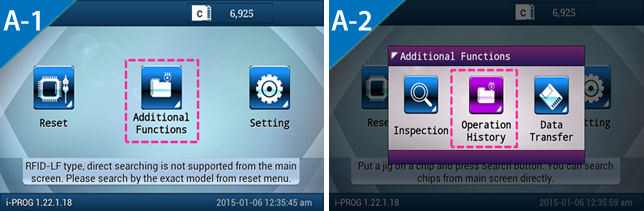 |
|
 |
|
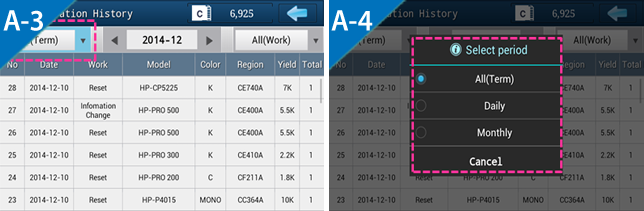
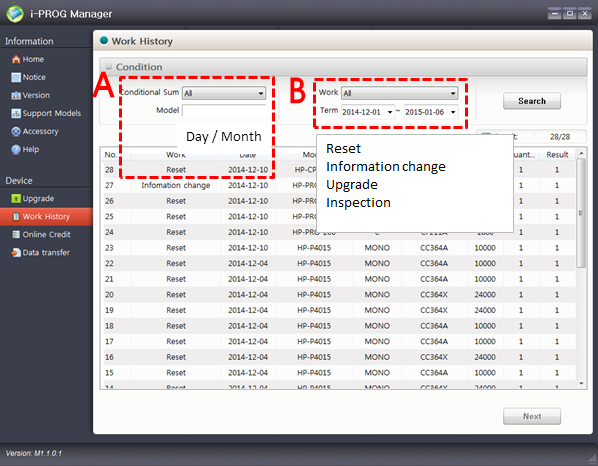
| ▶ You can set the period by Daily or Monthly, and check the details efficiently. | |
 |
|
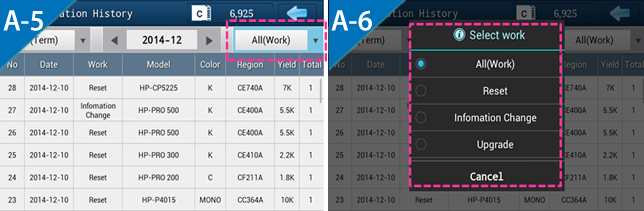
| ▶ You can set the work type by Reset or Information Change or Upgrade, and check the details efficiently. |
|
 |
|
| If it's more convenient for you to check from your computer, let's use this way. If you haven’t installed manager program, let’s proceed to install as below. |
|
|
* Install i-PROG manager |
||
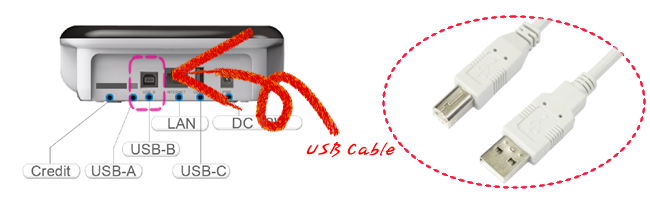
| Firstly, connect i-PROG with your computer using USB cable. | ||
 |
||
 |
||
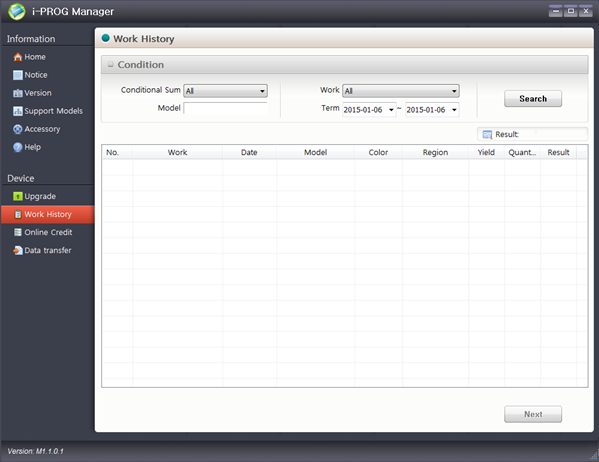
▲Execute i-Prog manager program and select 'Work History' from the menu. and select 'Work History' from the menu. |
||
 |
||
| ▶ Main screen of 'Work History' | ||
 |
||
| ▶ A : Search by work type / B : Search by period | ||
 |
|
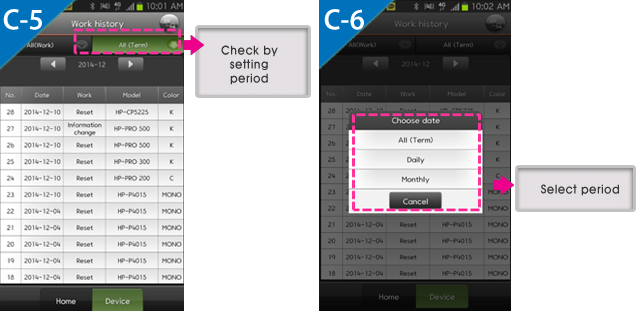
| If you are away from your machine and you want to check the work history promptly, we recommend you to use mobile manager using Bluetooth function. if manager is not installed on your mobile, let’s proceed to install following the step below. * This application supports only Android smart phone for now. |
|
| * i-PROG Mobile Manager 1) Install i-PROG Mobile Manager Google play store -> Search 'i-PROG' -> Download application 2) Connect a machine to Mobile Manager In case of Mobile manager, machine is connected by bluetooth. To check details about how to connect to bluetooth, please click the link next. [ ☞ Check manual 'i-PROG Mobile Manager : Way to connect i-PROG'] |
|
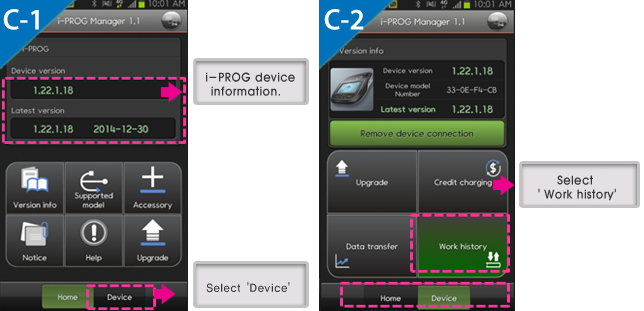
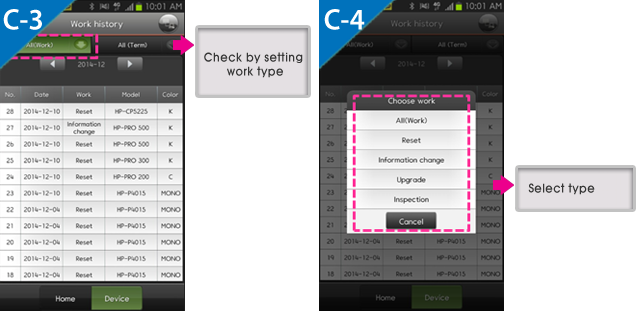
| Please make sure to connect your mobile with the machine by Bluetooth to use this function. | |
 |
|
 |
|
 |
|
So far, we’ve found out how to check the work history. If you need to check the work details for already packed or released goods, you can just use this function without the need to unpack the goods, or take the goods back. This function could be a great help for you at some point. |
|
Send Inquiry